




White grout softens the joints in white subway tile, light gray gives the layout gentle definition, and charcoal or black makes each rectangle stand out. Start with the contrast you want, then compare the grout against the actual tile, countertop and cabinet finish. A gray that looks neutral on a screen can look cool beside a creamy white tile.
For a quiet backsplash, shortlist a close white or off-white match. For visible brickwork without a dark grid, try light gray. Choose black when the joints are an intended feature, and check a grouted sample before committing to the whole wall.
White, Gray or Black: Choose the Contrast First
White grout keeps the tile surface in focus
With a close color match, your eye follows the white tile surface before it notices individual rectangles. This can suit a kitchen where the countertop has pronounced veins or the cabinets already provide a strong color.
White-on-white still has texture. Glossy tile reflects the window or under-cabinet light, while bevels and slightly uneven edges cast shadows. A matching grout cannot erase those edges. If you want the quietest result, compare the tile profile as well as the grout color.

Light gray makes the layout easier to see
Light gray separates the tiles without the stronger outline of charcoal. It is a useful middle option when you like the running-bond pattern and want to keep it visible across the backsplash.
Compare the actual gray samples: one may lean beige, another blue or green. The difference can be slight in a grout display and much clearer beside a white cabinet door. Choose the sample that works with the fixed finishes in your room.

Black and charcoal make the joints a feature
A dark joint turns the rows, offsets and perimeter cuts into visible parts of the composition. Consistent spacing becomes easier to appreciate; uneven widths and small cut pieces also become easier to notice.
Black hardware does not require black grout. A faucet occupies a small part of the view, while the grout repeats across the entire wall. Compare a medium gray as well as black if you want a connection to dark fittings without outlining every tile so strongly.

The drawings below use the same tile shape, spacing and layout, with only the joint tone changing. They compare contrast; select the final shade from a physical grout sample.
White: low contrast
Light gray: gentle definition
Charcoal: strong outline
Check Warmth Against the Countertop and Cabinets
Start with the white of the tile itself. Put it beside the cabinet finish and countertop sample before selecting a grout stick. A tile can look bright white on its own and creamier next to a cooler white surface.
Warm white, pale beige or greige grout may suit a creamy tile and oak cabinetry. A cooler light gray may work with a cool white tile and a gray countertop. These are starting combinations to compare, not fixed pairings: the exact samples and the room light decide which one looks coordinated.

If the countertop contains dark veins, matching the darkest vein with the grout can produce two strong patterns next to each other. Try a lighter tone from the surface first. Then step back and compare whether the countertop or the tile grid attracts attention first.

Keep the same samples together under daylight and the lighting you use in the evening. Under-cabinet lighting hits the backsplash from a different direction than a showroom ceiling light and can make tile edges more visible.

Joint Width and Layout Change the Color Effect
A narrow charcoal line and a wider charcoal line do not have the same presence. Wider joints expose more grout; smaller tiles also repeat the joints more often. Repeating the same color across a herringbone layout produces a different set of lines from a stacked or running-bond wall.
For a simple example, use flat rectangular tiles measuring 75 × 150 mm. In an ideal repeated grid, the grout occupies about 2.9% of the repeated tiled face area with 1.5 mm joints, and 5.7% with 3 mm joints. Doubling the joint width almost doubles the visible grout area in this example.
The calculation is 1 − (75 × 150) ÷ [(75 + joint width) × (150 + joint width)]. The grid allocates one horizontal and one vertical joint per repeat, so intersections are counted once. It excludes bevels, edge shadows and the wall perimeter. These values compare appearance; choose the installation width from the selected tile's requirements and dimensional variation, together with the grout's permitted range. The grout line size guide explains that width decision.
1.5 mm joints: 2.9% joint area
3 mm joints: 5.7% joint area

Before switching patterns to change the look, compare the same grout in the layouts you are considering. The subway tile pattern guide covers stack, offset and angled arrangements, including what happens at the edges.
Maintenance Depends on the Grout Product Too
White grout can make dark marks conspicuous, while dark grout can make pale residue conspicuous. Hiding a mark does not remove it, and color alone does not determine stain resistance, sealing requirements or a cleaning method.
The grout formulation matters. Read the exact product's care and application information, including compatibility with the tile face. An epoxy, premixed and cement-based product should not be treated as interchangeable merely because their color names sound similar. Confirm whether the selected grout requires sealing and which cleaner can be used on both the grout and the surrounding surfaces.

In a shower, a pale film on a dark joint is not proof that the color is fading. The Tile Council of North America's white-residue guidance explains several possible causes, including mineral deposits and residues associated with installation or cleaning. Identify the cause before choosing a treatment.

For a kitchen backsplash, check cooking splashes and the area behind the sink when weighing upkeep. Pick the color you want to see after cleaning, then select a compatible grout product and follow its care instructions. There is no maintenance-free color.
Approve a Grouted Sample Before the Whole Wall
A color chart helps narrow the choice. A small grouted board shows the grout beside the actual tile edges and across repeated joints. LATICRETE's color selector notes that the finished appearance depends on lighting, the tile and installation conditions, and calls for a test area before installation.
Have the installer prepare your shortlisted colors with the same tile and intended joint width. Keep those variables constant so you are judging the colors. Use the selected product's mixing, application and drying instructions; compare the dry sample rather than freshly wet grout. Do not add extra water to make a sample batch easier to spread, or assume that every grout reaches its review state in the same number of hours.

Hold each board upright at the backsplash, with the countertop sample below it and the cabinet finish beside it. Compare it close enough to see the joints, then from the doorway or the normal standing position in the room. View it with the lights you actually use.
Record the approved grout brand, product line, color name or code, joint width and tile reference. Keep the board for comparison. Include any exposed edge or trim that will sit beside the dark joints, since that boundary may be more noticeable than the center of the sample. A photograph is useful for communicating the arrangement, but retain the physical sample for the color decision.
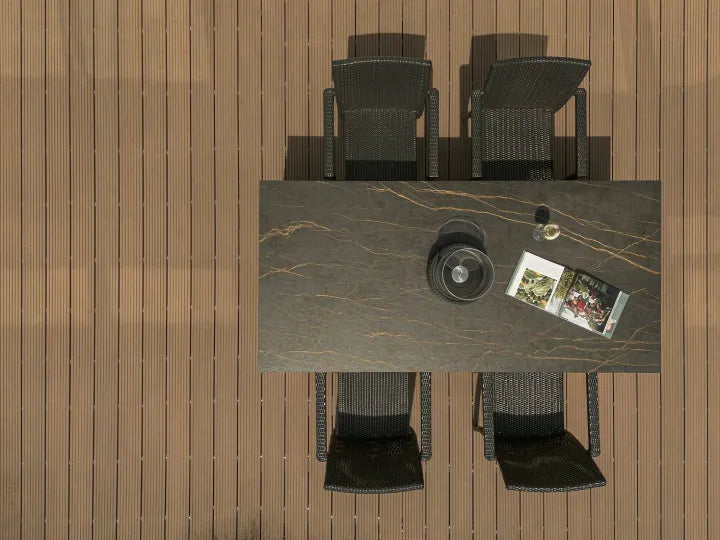
If a countertop is also being selected and sintered stone is on your shortlist, compare an actual slab sample with that board. Funtek's countertop slab options provide a next step for that surface and sample discussion. Approve the tile and grout with their supplier and installer as part of the same room palette.
Choosing a Countertop Alongside Your Tile?
If sintered stone is on your countertop shortlist, share the tile, grout and cabinet samples. We can help you explore slab options and request a countertop sample.