


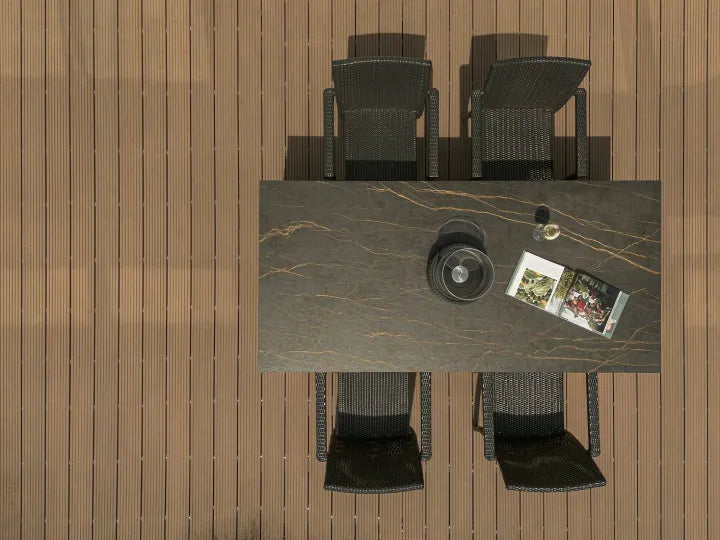

Measure net area
Split the project into rectangles. Measure each countertop run, island, wall elevation, floor zone, or furniture panel separately.
Project planning tool
Enter a total surface area or add multiple length × width sections. Select the slab size and waste allowance to calculate net area, adjusted area, whole slabs needed, and estimated material weight.
Built for fabricators, contractors, designers, distributors, and project buyers preparing an initial slab estimate or RFQ.
Choose the application, enter the measured area, and select a slab size. The planning result updates automatically.
Add thickness, custom slab dimensions, extra area, and layout requirements when the project needs more detailed planning.
Optional project requirements
Approximate slabs needed
0
Enter a measured area to calculate the planning quantity.
Planning estimate only. Final quantity must be checked against CAD nesting, cutting drawings, long runs, seams, vein direction, bookmatch faces, edge build-ups, packing, and installer review.
Area × waste allowance ÷ slab area = approximate slab count.
Quick answer
Enter the net surface area, choose the slab format, and add a realistic waste allowance. The calculator divides the planning area by one slab's coverage and rounds the result up because slabs are ordered as whole units.
Worked example: a 36 m² project with 12% waste needs 40.32 m² of planning area. A 1600 × 3200 mm slab covers 5.12 m², so 40.32 ÷ 5.12 = 7.88. The planning result is therefore 8 slabs.
Slab coverage comes from nominal length × width. Changing thickness changes estimated material weight but does not change the surface coverage of one slab. Changing from a 1600 × 3200 mm format to a smaller slab can increase the rounded quantity even when the project area stays the same. Always select the format you expect to quote instead of treating every large-format slab as interchangeable.
This is the right starting point for an early material request, budget conversation, or supplier RFQ. It is not a replacement for a cutting layout. A project with long countertop runs, strict seam positions, directional faces, or bookmatching can require more full slabs than area arithmetic suggests.
Split the project into rectangles. Measure each countertop run, island, wall elevation, floor zone, or furniture panel separately.
Allow for trimming, openings, corners, face direction, pattern matching, edge strips, breakage reserve, and site replacement needs.
Send drawings, slab direction, thickness, destination, and packing requirements so the final order can be checked before production.
Slab coverage
Nominal slab coverage is calculated from slab length × width. Use the same format you expect to quote, because changing the slab size can change the rounded whole-slab quantity.
| Nominal slab size | Square metres | Square feet |
|---|---|---|
| 1600 × 3200 mm | 5.12 m² | 55.11 ft² |
| 1200 × 2800 mm | 3.36 m² | 36.17 ft² |
| 1200 × 2600 mm | 3.12 m² | 33.58 ft² |
| 1200 × 2400 mm | 2.88 m² | 31.00 ft² |
| 900 × 1800 mm | 1.62 m² | 17.44 ft² |
These figures use nominal dimensions. Edge trimming, fabrication margins, breakage and unusable offcuts can reduce practical yield. For format selection, read the sintered stone slab size guide.
Waste planning
Waste is a planning allowance, not a promise that every offcut can be reused. Start with the project type below, then increase the allowance when the design imposes fixed joins, repeated faces, complex openings, narrow returns, or replacement stock.
The percentage is applied before the result is rounded to whole slabs. Because of that rounding, the purchased coverage can exceed the selected allowance—especially on a small project that needs just over one full slab. This does not mean the offcut will suit another visible piece or a later batch.
| Application | Starting allowance | Why it may increase |
|---|---|---|
| Simple wall or furniture panels | 5–10% | Low cut complexity, fewer openings, and flexible face direction. |
| Kitchen countertop or island | 10–15% | Sink and hob cutouts, long runs, seams, overhangs, waterfall ends, and mitered edge strips. |
| Bathroom or shower walls | 10–15% | Niches, plumbing openings, corner returns, and matched wall elevations. |
| Flooring | 10–15% | Perimeter cuts, modules, room transitions, direction control, and replacement reserve. |
| Facade or directional pattern | 15–20% | Large elevations, anchors, corners, repeated modules, face alignment, and replacement planning. |
Accuracy boundary
For the geometry behind full-blank yield and why the area result can undercount, read How Many Sintered Stone Slabs Do You Need?. That guide owns cutting-layout decisions; this page remains the interactive planning tool.
Prepare the RFQ
For a useful project quotation, send dimensioned drawings or a clear area schedule, the application, preferred slab size and thickness, required finish, face direction, cutouts, edge details, quantity, delivery country, and requested packing method. If a bookmatched design is required, mark the intended sequence and viewing direction.
Funtek can then review the planning result against available formats and the project brief. The calculator does not create a fabrication drawing, reserve a batch, or confirm that every piece fits one slab.

FAQ
Calculate the net area, add an appropriate waste allowance, divide by one slab's nominal coverage, and round up to a whole slab. Then ask a fabricator or supplier to verify the result against the actual cutting layout.
Simple panels may begin around 5–10%. Countertops, bathroom walls, and flooring commonly begin around 10–15%. Facades, bookmatched patterns, fixed face direction, complex cutouts, and replacement stock may justify 15–20% or a project-specific allowance.
Sometimes. The answer depends on each run and island dimension, slab size, sink and hob openings, seam tolerance, transport limits, edge build-ups, and pattern direction. Total square metres alone cannot prove that all pieces fit.
The formula assumes area can be converted efficiently into slab coverage. Long pieces, unusable offcuts, fixed seams, bookmatch sequences, visual defects, approved faces, and packing reserve can require another full slab.
No. It estimates material weight from planning area, selected thickness, and the configured density. Use the slab weight calculator for slab, order, packing, and container planning, then confirm the order-specific packing data.
Send the calculation with your drawings, application, destination, finish, thickness, and packing requirements.